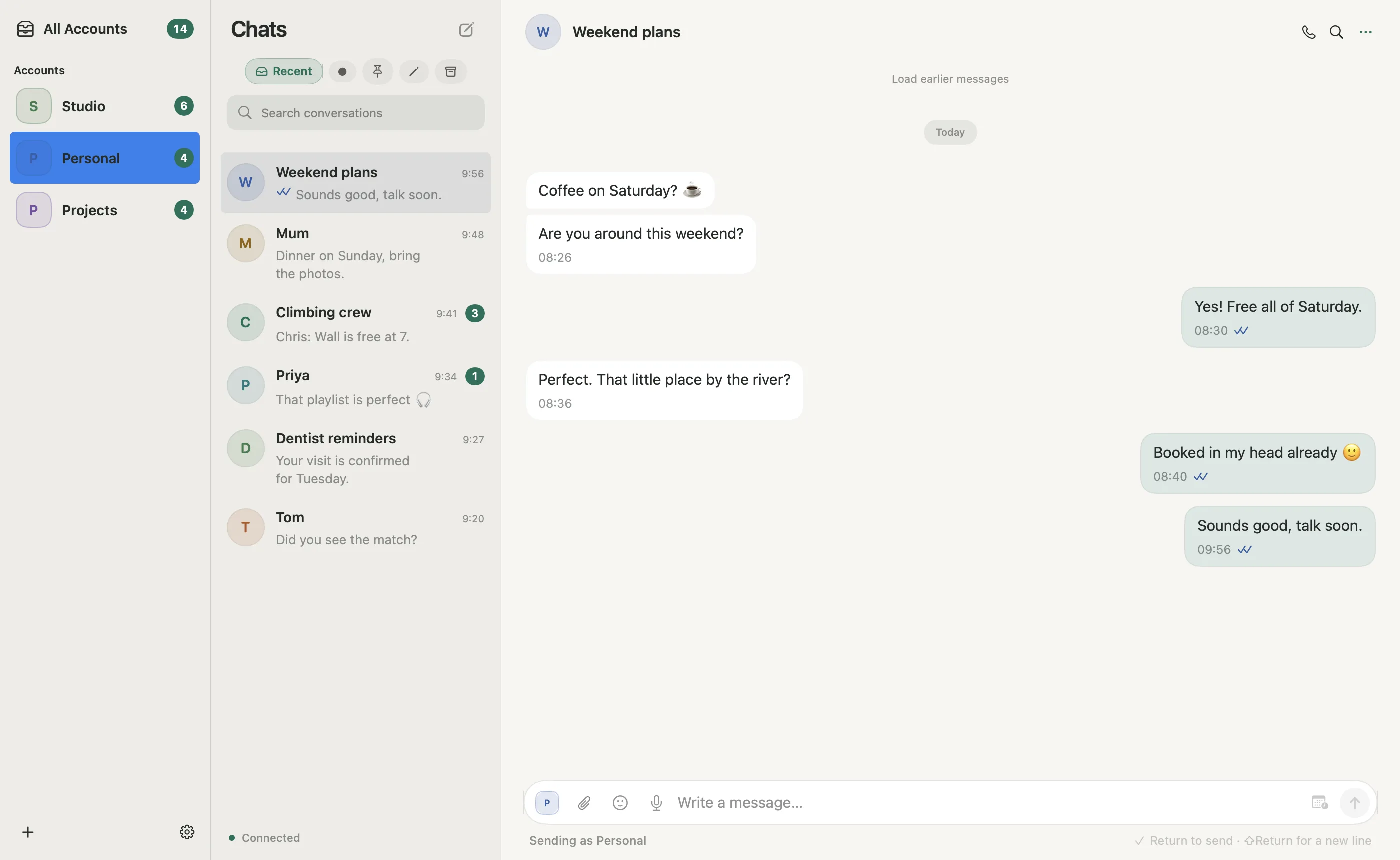
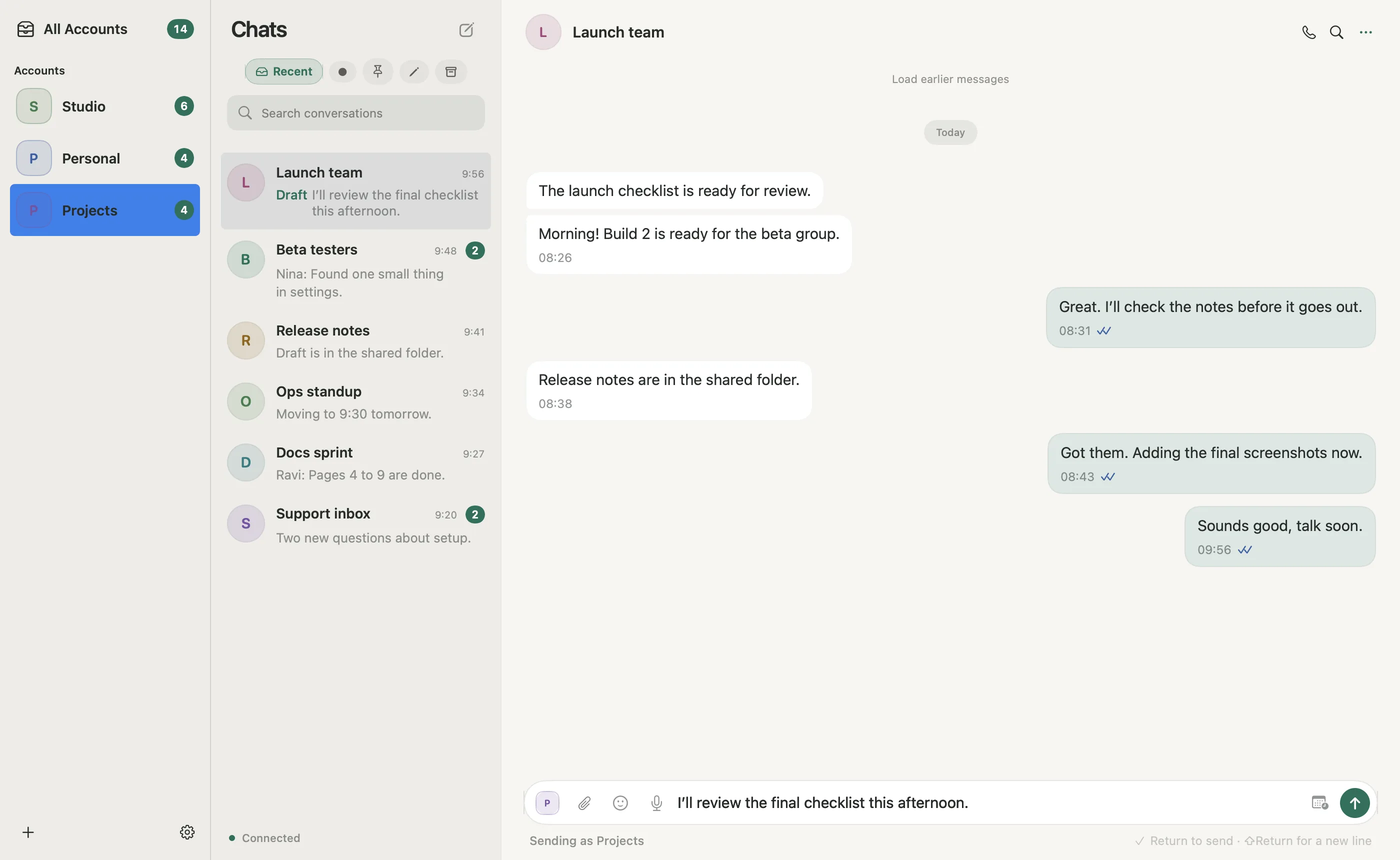
Every account. Clearly yours.
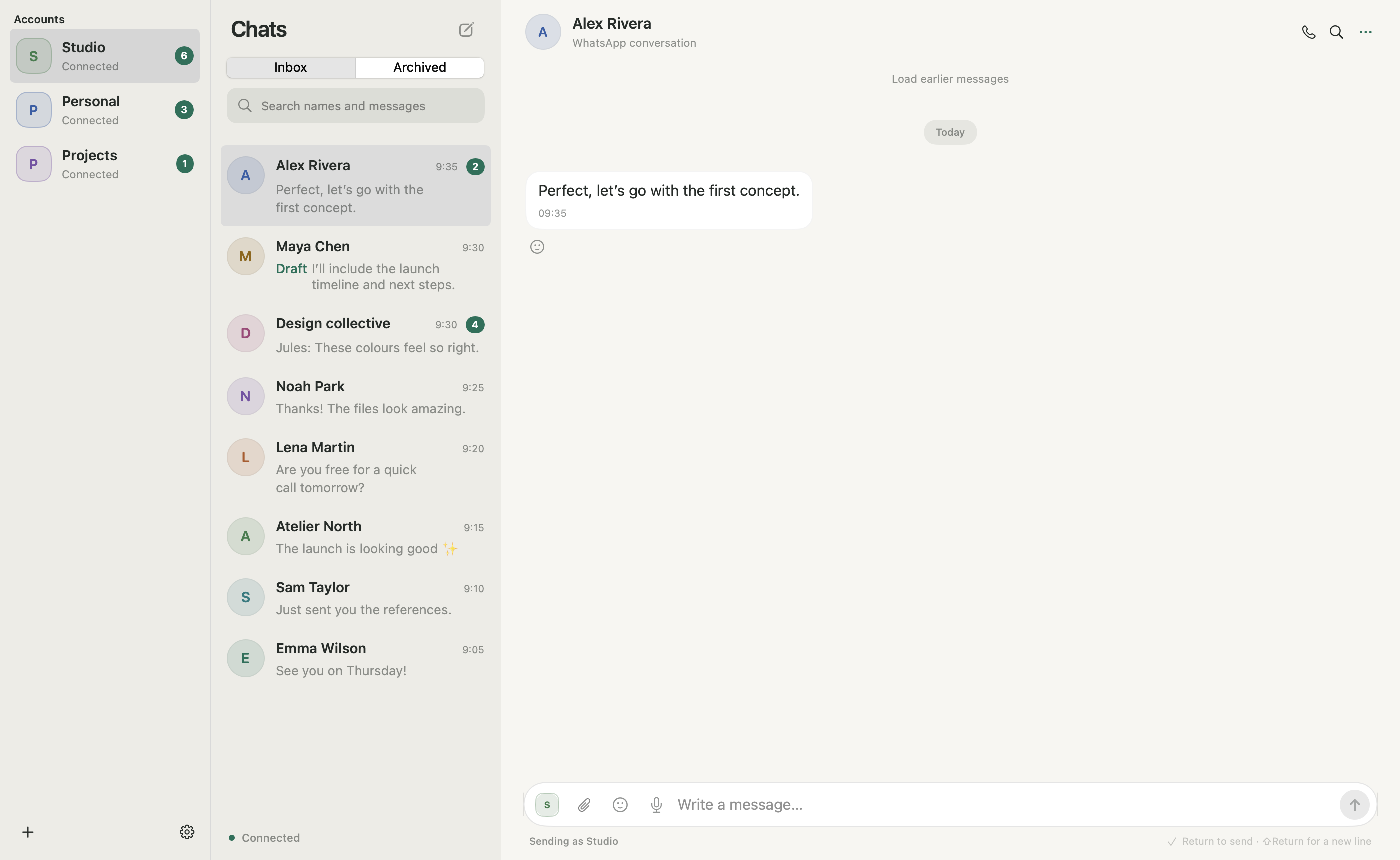
Personal and WhatsApp Business accounts, side by side. Distinct names, colors and photos keep your sending identity in view.
Your people, your businesses, your different worlds.
Run several WhatsApp and WhatsApp Business accounts in one native Mac app. Then let your AI find the context, translate the thread and draft the reply, on your terms.
A little less juggling.
A lot more headspace.
Orbit by SabaiDev is a native Mac app for managing multiple personal and business WhatsApp accounts. Keep identities distinct, find cached conversations and delegate supported tasks through a local MCP (Model Context Protocol) server.
Personal and WhatsApp Business accounts, side by side. Distinct names, colors and photos keep your sending identity in view.
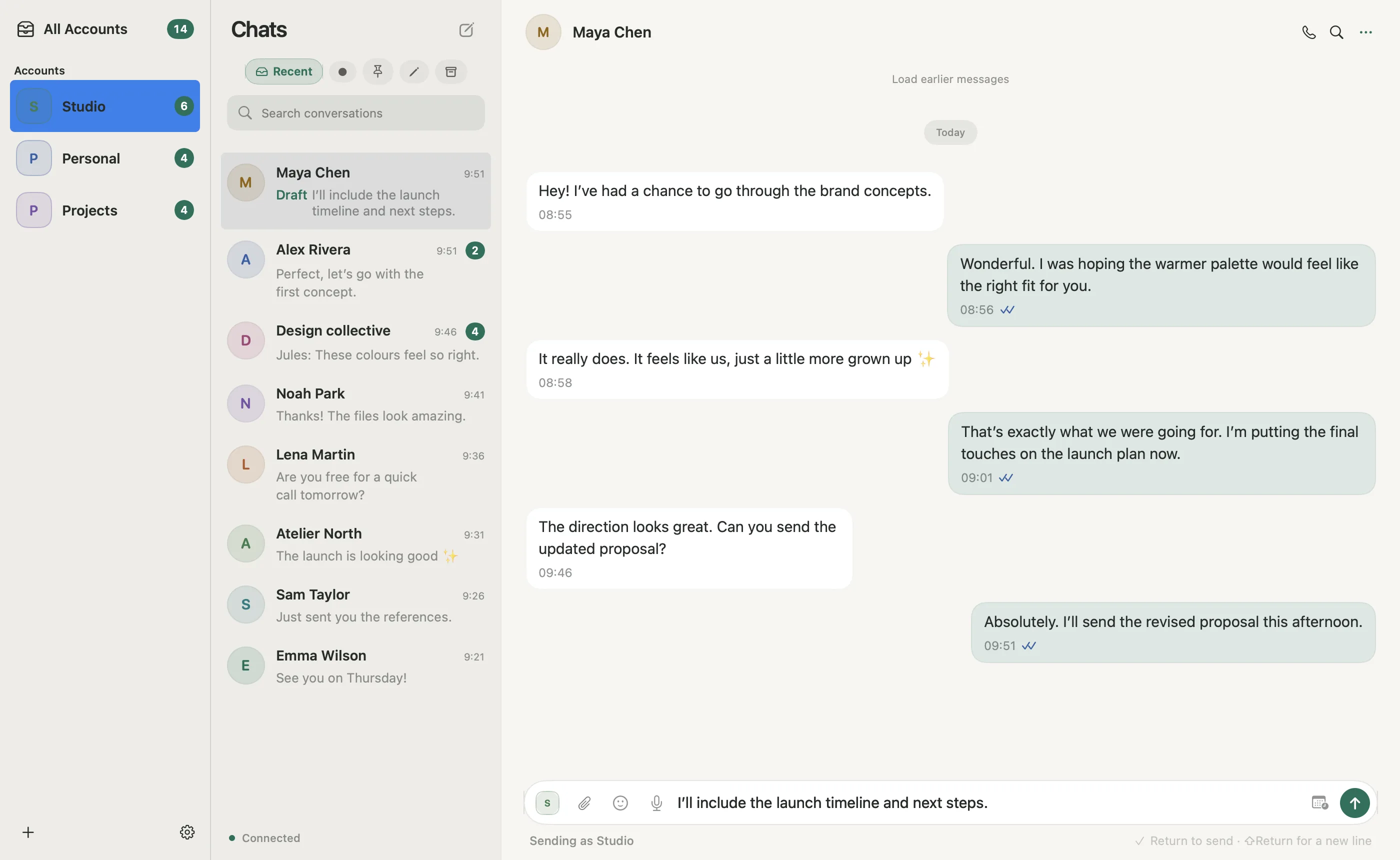
Jump across accounts with ⌘K. Search cached conversations from one place, then open exactly the one you need.
Choose when read receipts go out: on opening, after replying, or never. Looking for a conversation doesn’t have to announce your arrival.
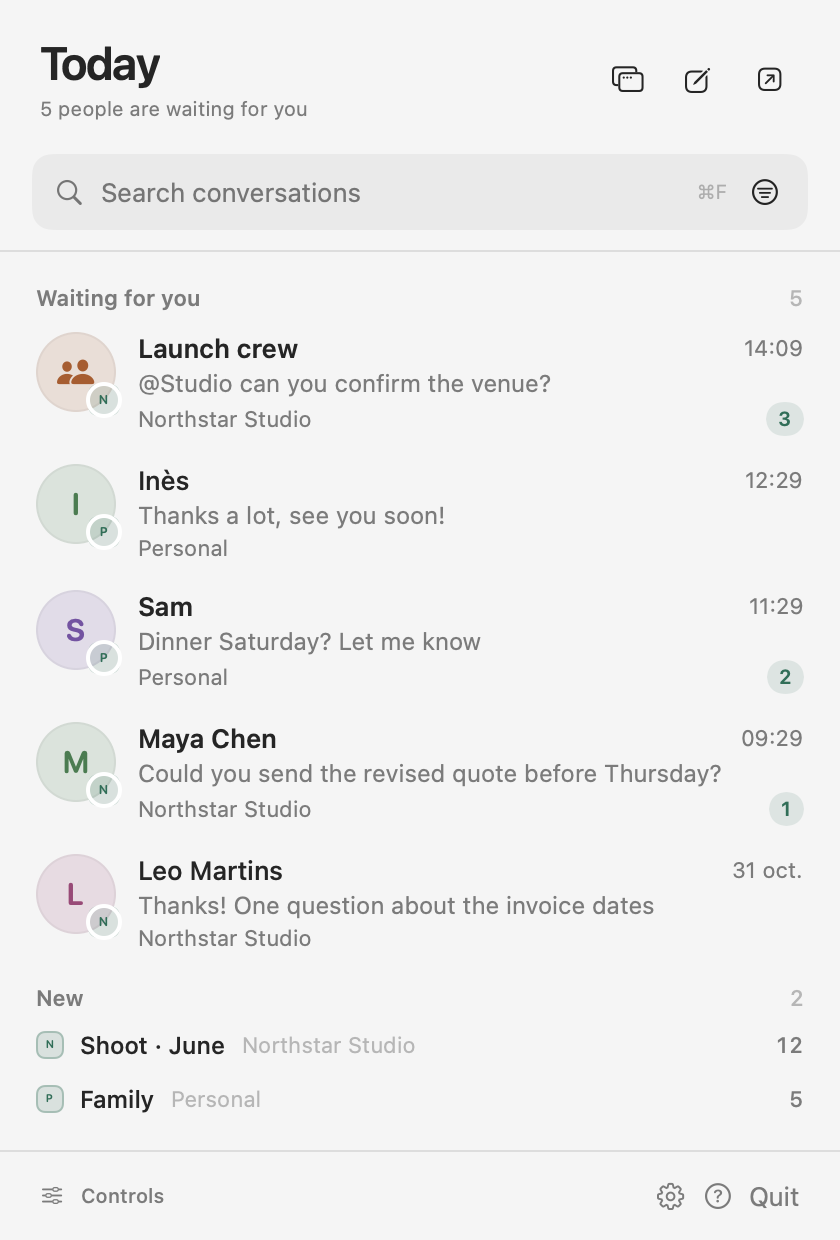
Your conversations live locally.
You decide what your assistant can access.
Find the context. Prepare the reply. Handle the follow-up, even in another language. Orbit’s built-in MCP server gives compatible assistants a way to help inside your workspace, with permissions you control. How the WhatsApp MCP server works
The recorded taskFind Maya’s proposal request in Studio. Prepare a reply and let me approve the draft.
Recorded MCP executionOrbit’s real MCP adapter searches the isolated Studio workspace for “updated proposal”.
Recorded results are loading.
orbit_searchorbit_context + orbit_uiorbit_message · setDraftorbit_get_action + orbit_queryRecorded execution with fictional data. No WhatsApp message was sent.
Replay of real MCP execution against an isolated native Orbit workspace with fictional contacts. The recorder used the actual adapter, dispatcher and draft executor; the fixture operator approved the actual pending action after capturing the native sheet. No WhatsApp message was sent. This is not a ChatGPT session or a live browser connection to your accounts. Connecting ChatGPT requires separate host setup, potentially a Secure MCP Tunnel. Voice notes and calls are excluded from MCP.
Choose the accountsGive your assistant a defined workspace.
Set the boundariesAsk, allow or deny supported operations.
Keep an eye on actionsReview activity and pending approvals.
On Pro and Studio, your AI assistant reads the conversation through Orbit’s local MCP, explains it in your language and drafts the reply in theirs. Clients abroad, suppliers, friends, family: talk to them the way they talk to you.
Your assistant translates with the conversation as context, not one pasted sentence at a time. Short forms and casual spelling are read for what they mean.
Native script, or the romanized spelling people actually text in. Ask for a warmer tone, a politer form, or a quick check that a phrase lands well.
Read the translation, adjust it, then approve each message in Orbit before it leaves. Orbit does not translate by itself; quality depends on the assistant you connect.
From the first message of the morning to the last reply of the day. The essentials belong right where you need them.
Quoted replies, reactions, attachments, images, stickers and link previews when metadata is available.
Record and play voice notes inside the conversation. No need to reach for your phone to compose one.
Adjust themes, account colors, photos and conversation names to make your workspace feel like yours.
Text drafts are saved encrypted, and cached conversations stay on your Mac so you can pick up where you left off.
Native windows, keyboard shortcuts and macOS notifications. Built with SwiftUI and AppKit.
Search, contact lookup, cached-context exports and scheduled text actions. Scheduled actions need Orbit running.
Start with one account. Add more identities, or bring your AI assistant into the workflow.
$0/month
1 account
For your everyday conversations.
$7.99/month
3 accounts
Keep your different worlds close.
$19.99/month
5 accounts
Worth it with one account: your assistant finds, translates and drafts.
$49.99/month
20 accounts
For managing several businesses from your own workspace.
Direct-Mac prices in USD, billed every 30 days through Whop; cancel anytime from your Whop billing page. All plans include the native workspace; local MCP starts with Pro. AI-host subscriptions are separate. Account allowances are commercial limits, not measured simultaneous-session capacity.
Orbit by SabaiDev is an independent native macOS app for managing multiple WhatsApp Personal and WhatsApp Business app accounts. It combines distinct account identities, cached conversation search and a local MCP server for compatible AI assistants. A signed preview for Apple Silicon Macs can be downloaded today; the first account is free.
MCP stands for Model Context Protocol, a protocol that lets compatible AI hosts call tools. Orbit exposes local tools for permitted accounts and operations, such as reading cached context and preparing a draft. Local MCP is included in Pro and Studio; Free and Plus include native messaging without MCP. The assistant runs in your chosen host; Orbit does not include a built-in AI subscription.
Yes. Orbit uses SwiftUI and AppKit and requires macOS 14 or later. The current release candidate is for Apple Silicon. There is no iOS or Linux release.
Install Orbit, add an account and scan its QR code from WhatsApp on that phone under Linked devices. Repeat for each number: personal and WhatsApp Business app accounts sit side by side in one window, each with its own identity, inbox and notifications. You switch accounts with a click instead of logging out, and search covers every cached account at once. Free includes one account; Plus allows three, Pro five and Studio twenty.
Not yet. Orbit is a native Mac app built with SwiftUI and AppKit, so a Windows edition would be a separate app. Leave your email in the Windows waitlist at the bottom of this page: you get one email if it ships, and the number of sign-ups decides whether it is built.
Orbit links existing personal and WhatsApp Business app accounts using a QR code. It uses an unofficial WhatsApp integration and is not affiliated with or endorsed by WhatsApp or Meta.
On the Pro and Studio direct-Mac plans, a compatible MCP host can use supported tools to search available cached conversations, find contacts, read context, prepare drafts, send text and attachments, add reactions and control supported app settings. Account grants and operation policies govern access. Voice messages and calls are excluded from MCP.
Yes, on Pro and Studio, through your AI assistant. A compatible MCP host can read the conversations you permit, translate them for you and prepare replies in your contact’s language, in native script or romanized spelling. On macOS 26 or later, Orbit can also translate a message or your draft on this Mac between English, French and Thai (Lao isn’t available on device). For other languages, quality depends on the assistant you connect. Keep sending set to Ask every time to approve each message before it goes out.
Yes. Choose Keep Out of AI in a chat’s menu. Kepler, connected AI assistants, on-device sorting and summaries then can’t read or act in that chat. The setting stays on your Mac, and Settings › Privacy lists every chat you kept out.
Orbit provides a local stdio MCP server. Connecting ChatGPT requires a compatible setup, such as OpenAI’s Secure MCP Tunnel, and access to the relevant host features. End-to-end ChatGPT acceptance has not yet been completed. The demonstration above replays real MCP calls made by a local recorder, using fictional data and the actual native app implementation.
Orbit keeps session and conversation data locally on your Mac. Text drafts are encrypted. The main session, history and media stores do not currently have application-level encryption. An assistant can receive the content you authorize it to access, subject to that assistant provider’s policies.
Orbit works with the history available in its local cache and supported phone history requests. It does not promise a complete archive or a WhatsApp backup. Scheduled MCP text actions require Orbit to stay running; inspect the outcome before assuming a message was sent.
You can download a preview build for Apple Silicon Macs today. It is signed by SabaiDev but not yet notarized by Apple, so macOS blocks it the first time: open System Settings, Privacy & Security, and click Open Anyway next to Orbit. Your first account is free. Paid plans are open: choose a plan and pay on Whop’s secure checkout, then sign in to Orbit with the same Whop account to activate it. Whop processes the payment; this site never sees your card details.
Your first account is free. Download the Mac preview.